
Birds Aren’t Real is a 3D action-stealth puzzle game with a comic twist. As one of USC’s Advanced Game Projects for 2022 to 2023, it was developed by a team of 30 students, with collaborators from CSU Fullerton and OTIS.
Honorable Mention for Best Student Game, IGF 2024


Contribution
As the gameplay engineer on the team, I worked closely with designers to implement the fundamental aspects of the game in a fast-paced, iterative manner. Moreover, I also actively engaged in UI/UX and optimization tasks.
Tools Used: Unity, C#, Perforce, Notion, Photoshop, Figma
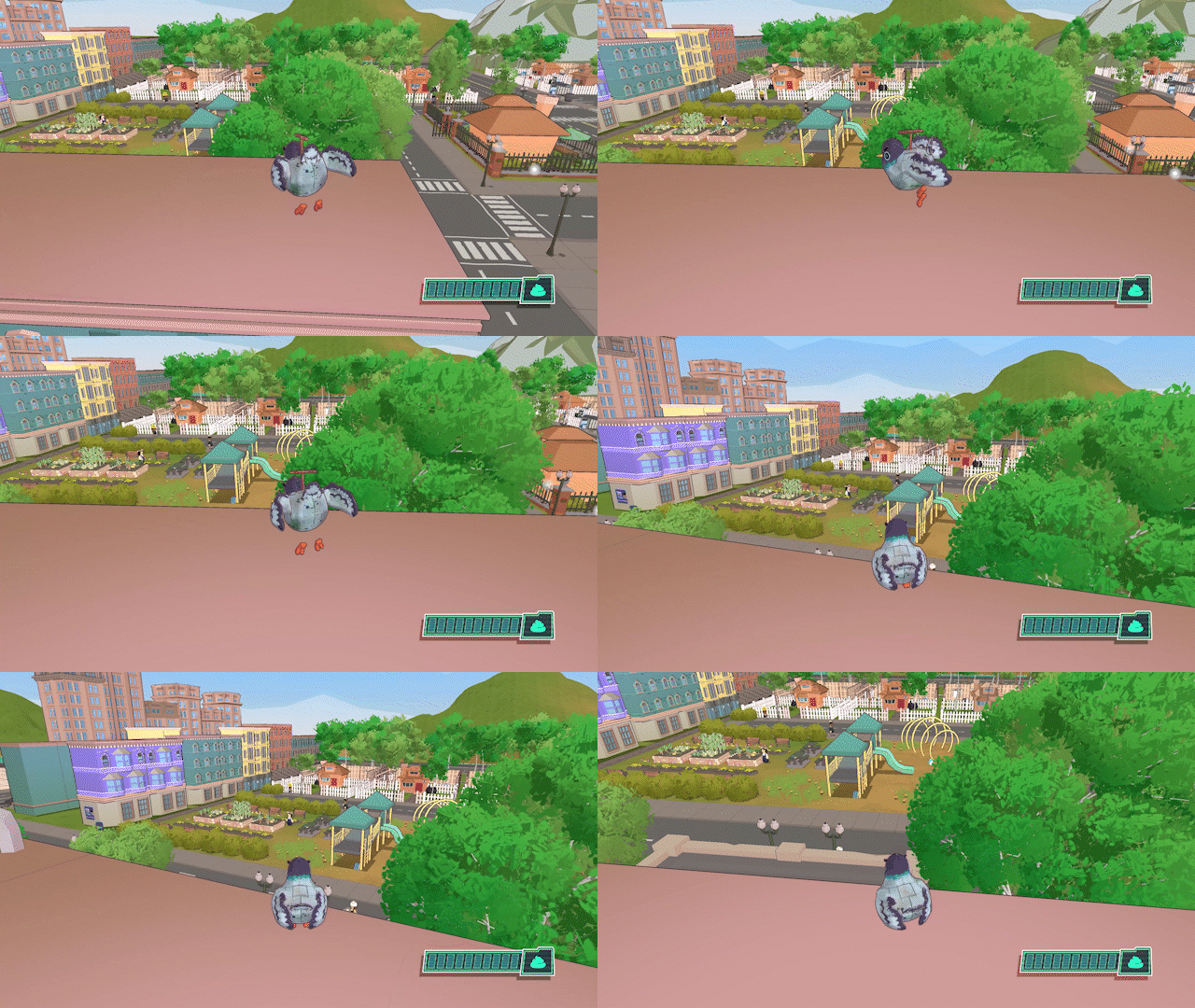
Character Controller
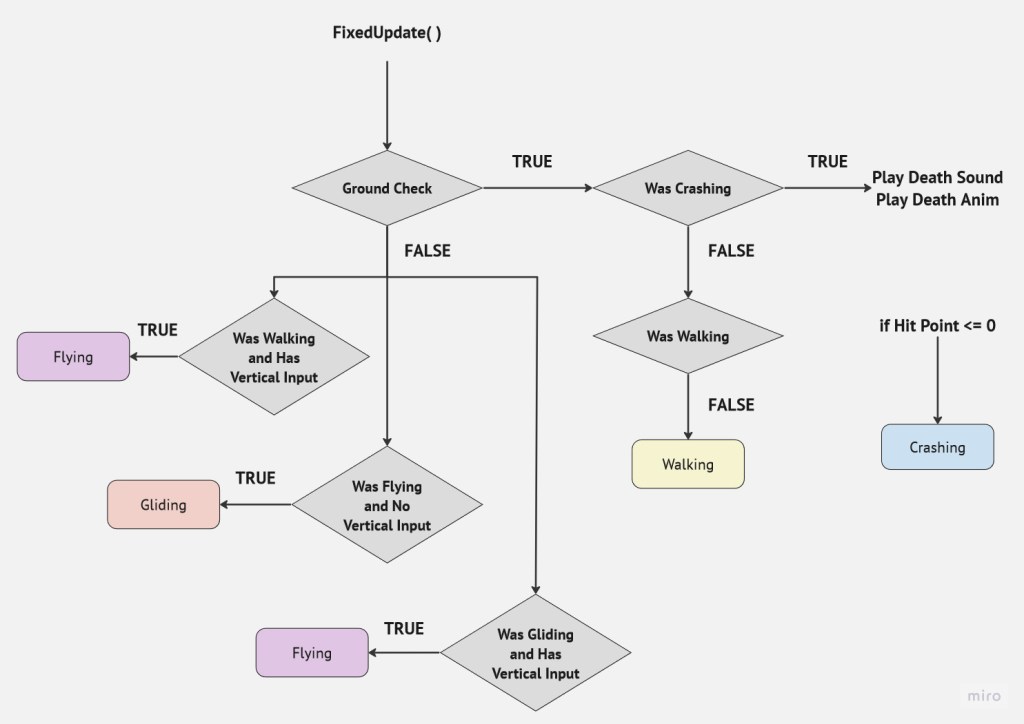
- Movement State Machine
- Custom Ground Check
- Player Abilities
- 1st/3rd Person Camera
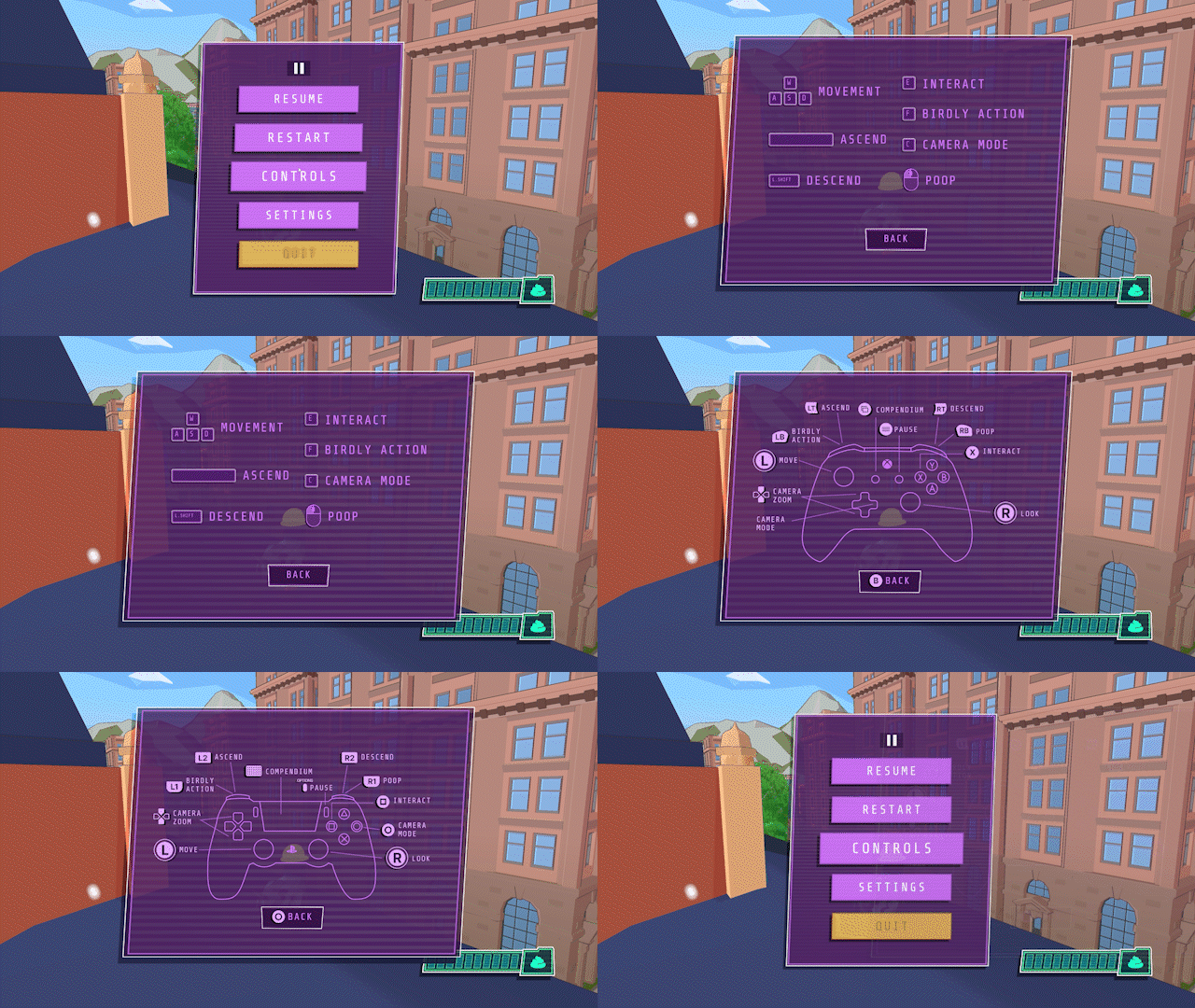
Controller Support
- Xbox/PS/Switch Controller Support
- Controller Rumble
- Control Prompt Display and Hot Swap
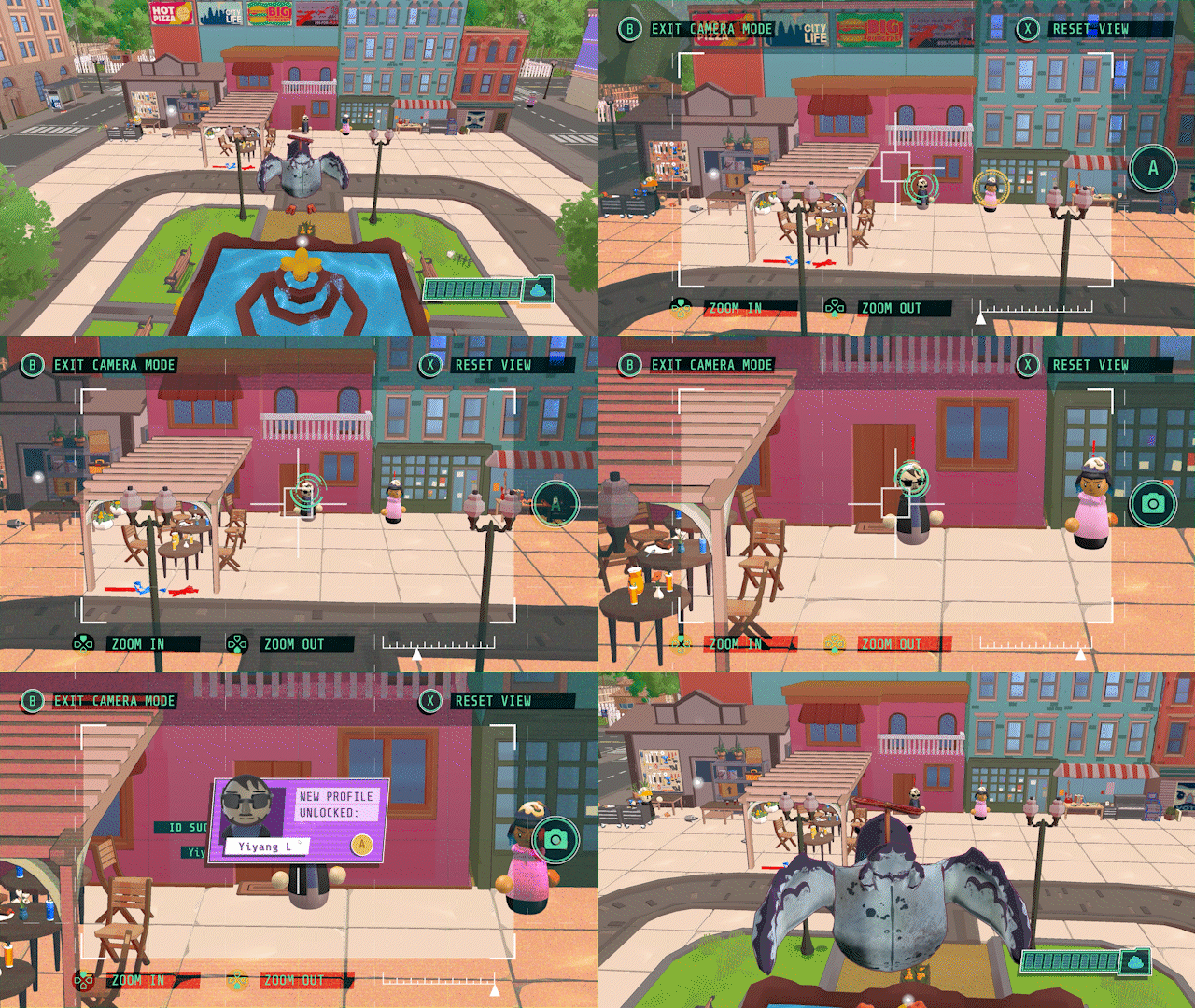
Spy Camera
- Screenshot and Data Saving
- Optimized NPC Identifying Algorithm
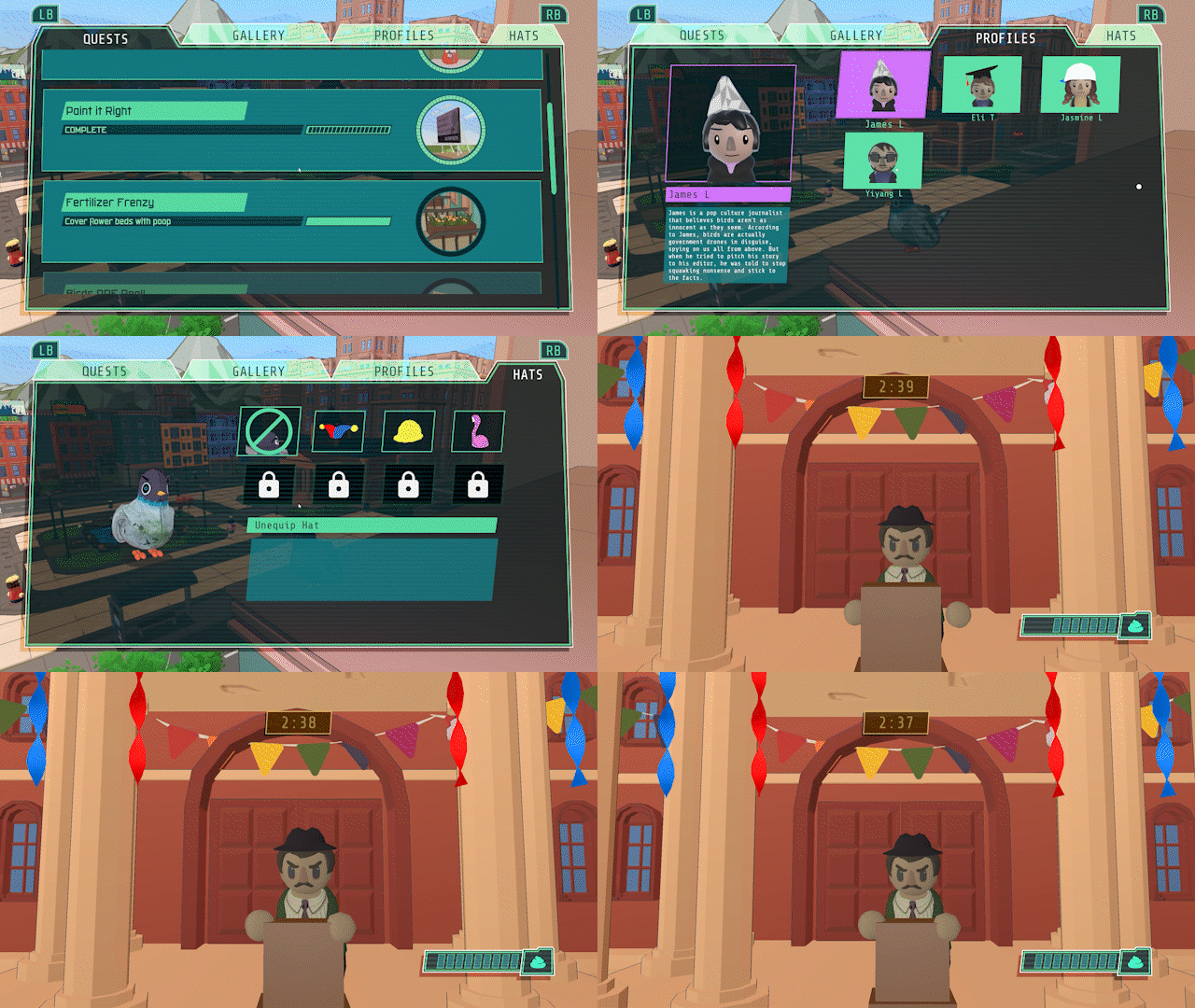
- Dynamic UI Reticles
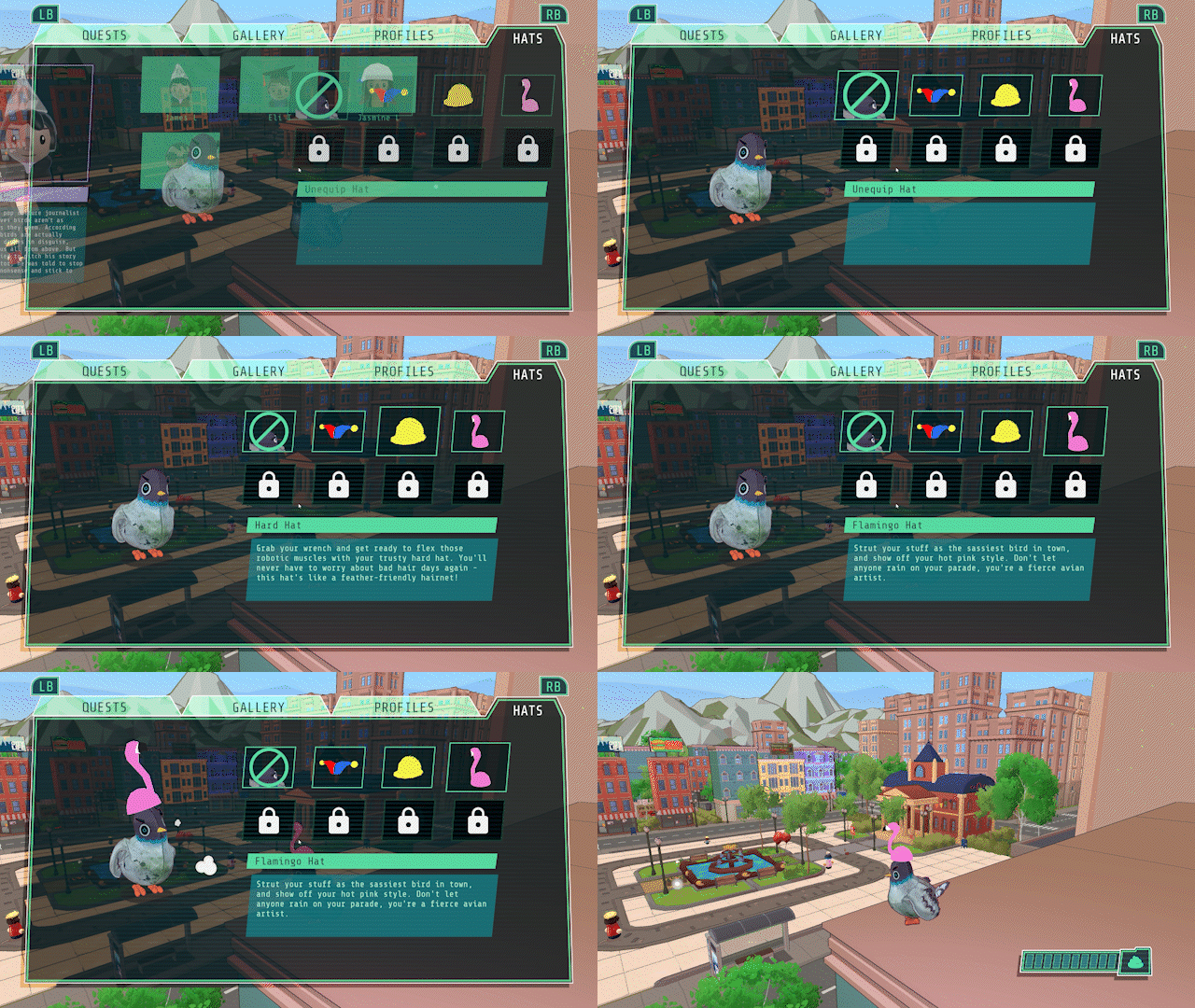
Hats!
- Unlockable Hats Rewards
- Hat Preview UI
- Hat Creation Pipeline
Miscellaneous
- UI Assets
- General Optimization
- Custom Shaders
- Cutscene System
Technical Details
NPC Identifying Algorithm
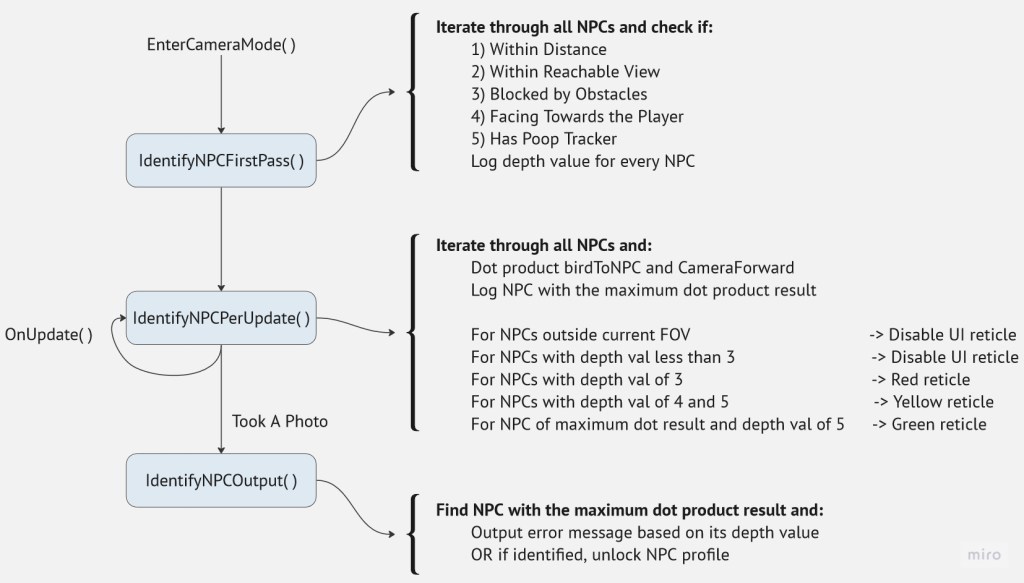
The NPC identifying algorithm is divided into three parts. Every time the player opens up the spy camera, the algorithm runs a first pass to assign a depth value to every NPC based on the number of tests it passes. Computationally expensive tests are executed later when most of the candidates have already been weeded out.
During every update, the algorithm disables the UI reticle on NPCs that are outside the player’s FOV, and assigns different reticles based on each NPC’s depth value. The NPC with the maximum dot product result is also cached.
Upon taking a photo, the algorithm finds the NPC with the maximum dot product result, and either unlocks the NPC’s profile when it is successfully identified or outputs an error message indicating the reason for failed identification, based on the depth value.
Controller Support
I proposed full controller support to the development team during the early stages of production and authored the majority of it.
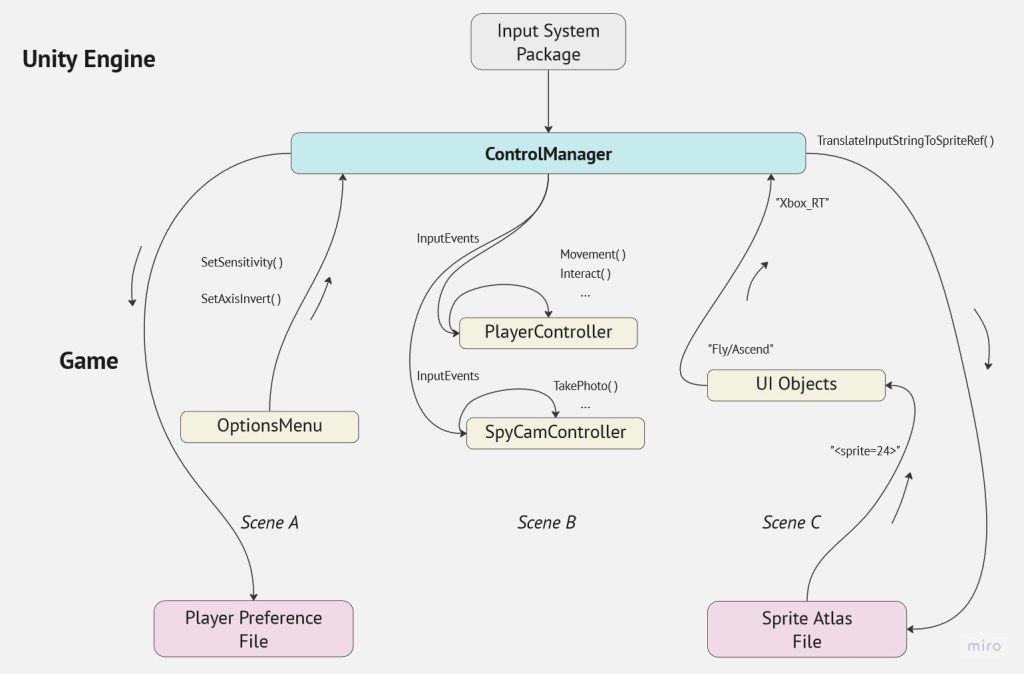
A singleton manager was utilized to encapsulate functions provided by Unity’s Input System, handling everything from input processing to event dispatching. This ControlManager also stores the mapping of inputs to sprite sheets and translates requests at runtime.
Movement and State Machine
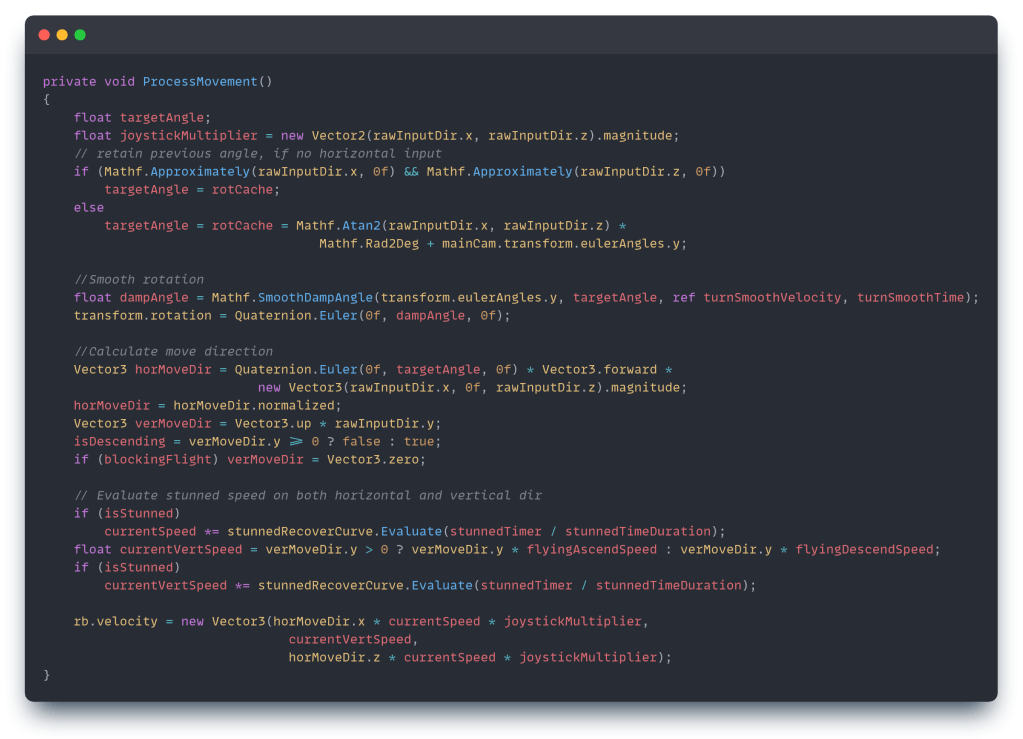
The ProcessMovement() function is the crux of the third-person controller, which I coded from the ground up for this project. This is the current version after many iterations.
The variable currentSpeed changes to walking speed, flying speed, or gliding speed depending on the movement state. If the bird is currently stunned, a curve will be evaluated to simulate the effect of its speed slowly recovering. Additionally, joystickMultiplier is calculated to adjust the bird’s speed in response to light joystick pushes. For keyboard and mouse, this value will always be 1.0.
A rotation angle is cached so that when there’s no horizontal input, the bird won’t snap back to the default forward angle. A damp angle is also calculated to ensure smooth turning for the bird.
Finally, the movement direction and speed are calculated, with many values abstracted to variables. This gives designers greater freedom to adjust the bird’s speed in any possible way.
 Yiyang Li | Gameplay Programmer